FINAL CHECK · REFERENCE INSTALL
Verify the install & fix anything odd
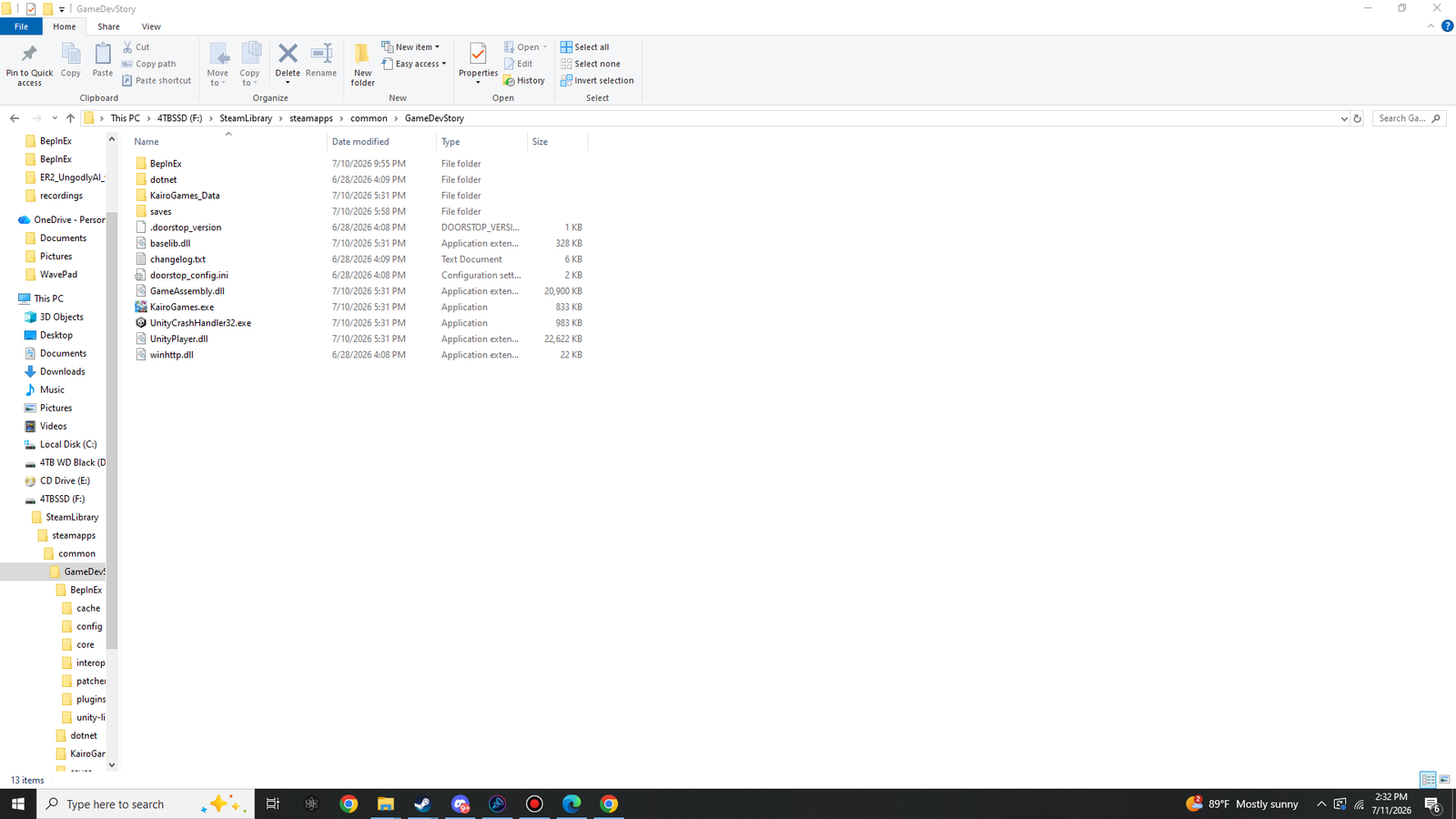
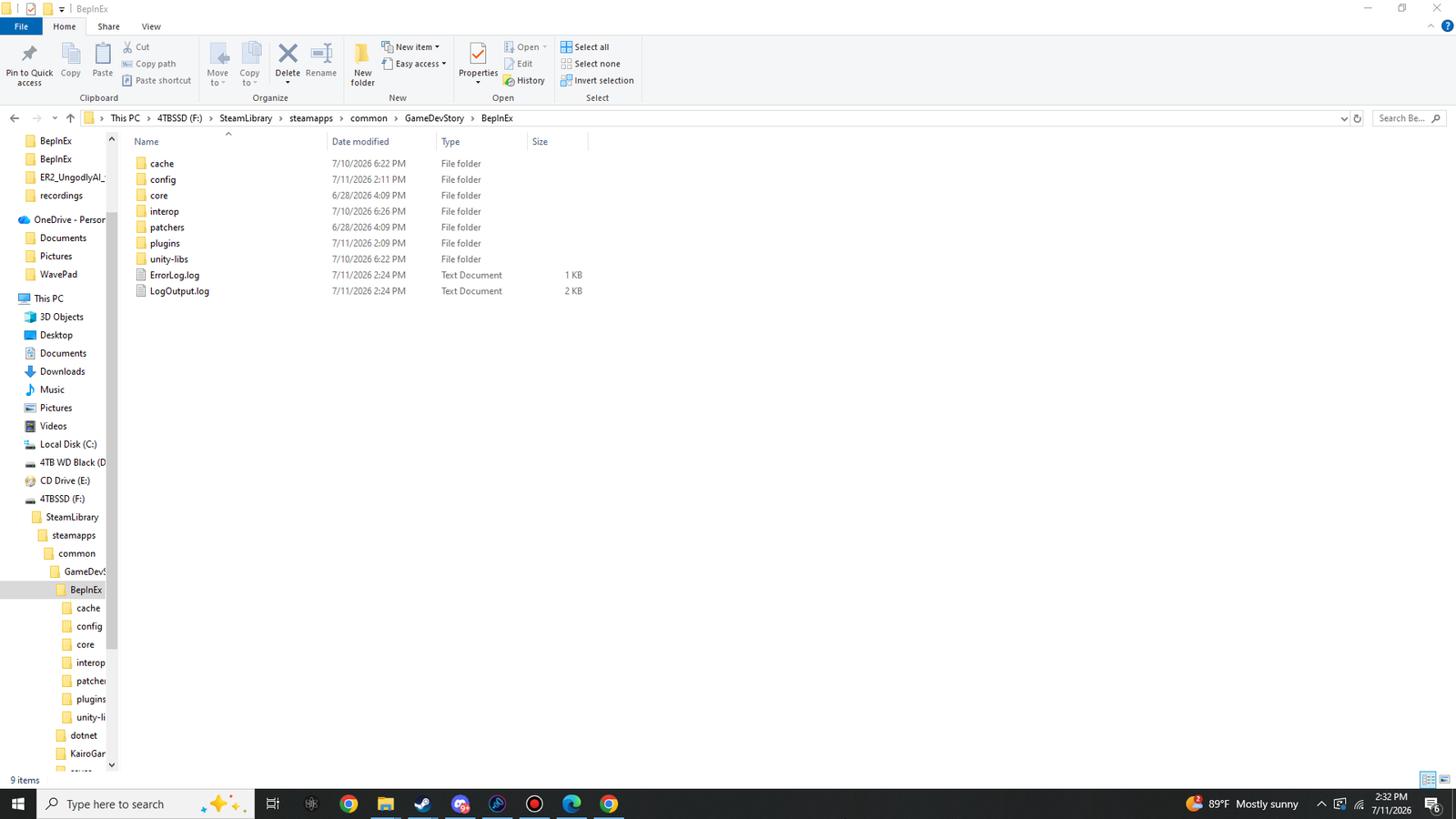
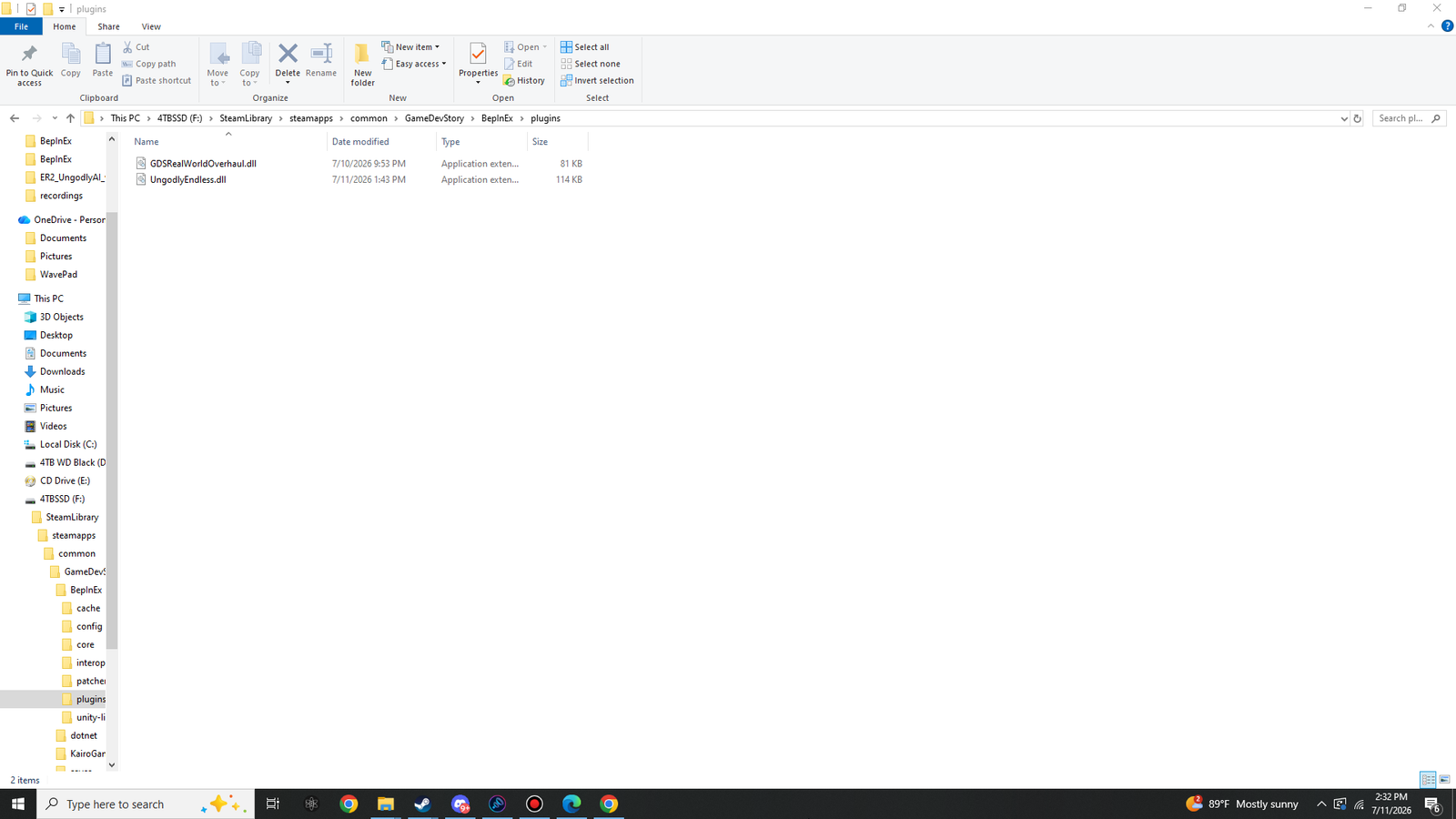
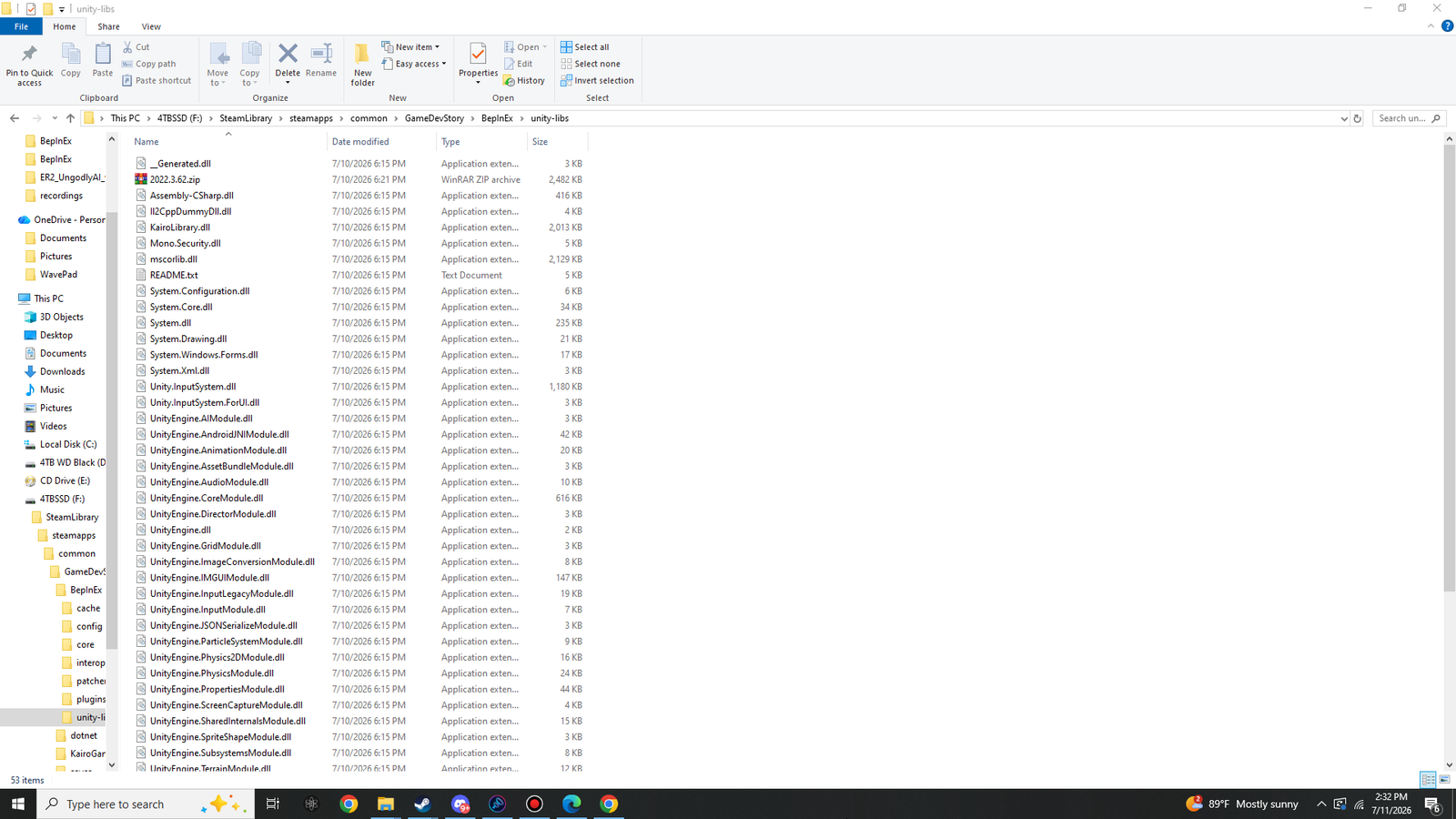
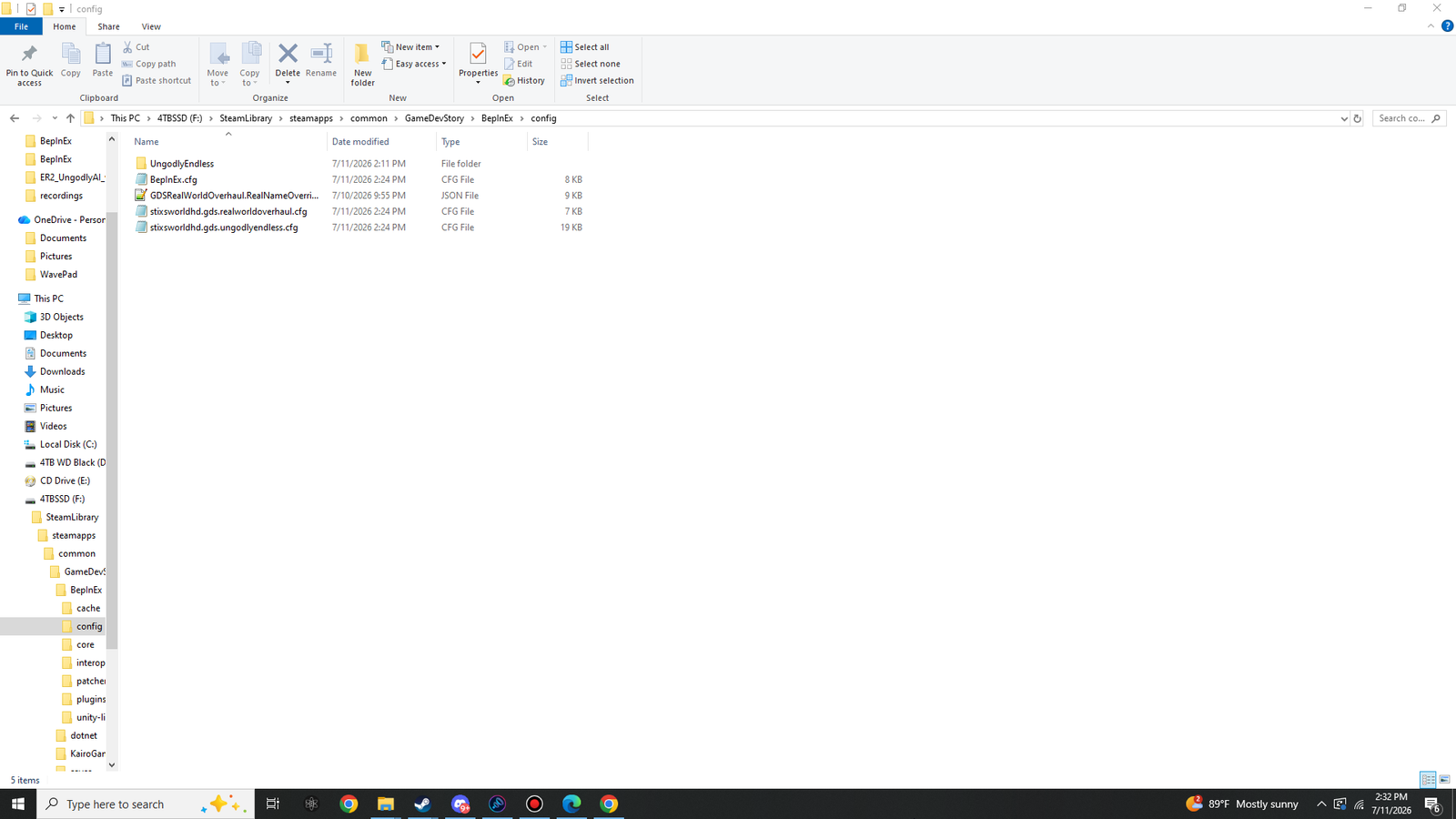
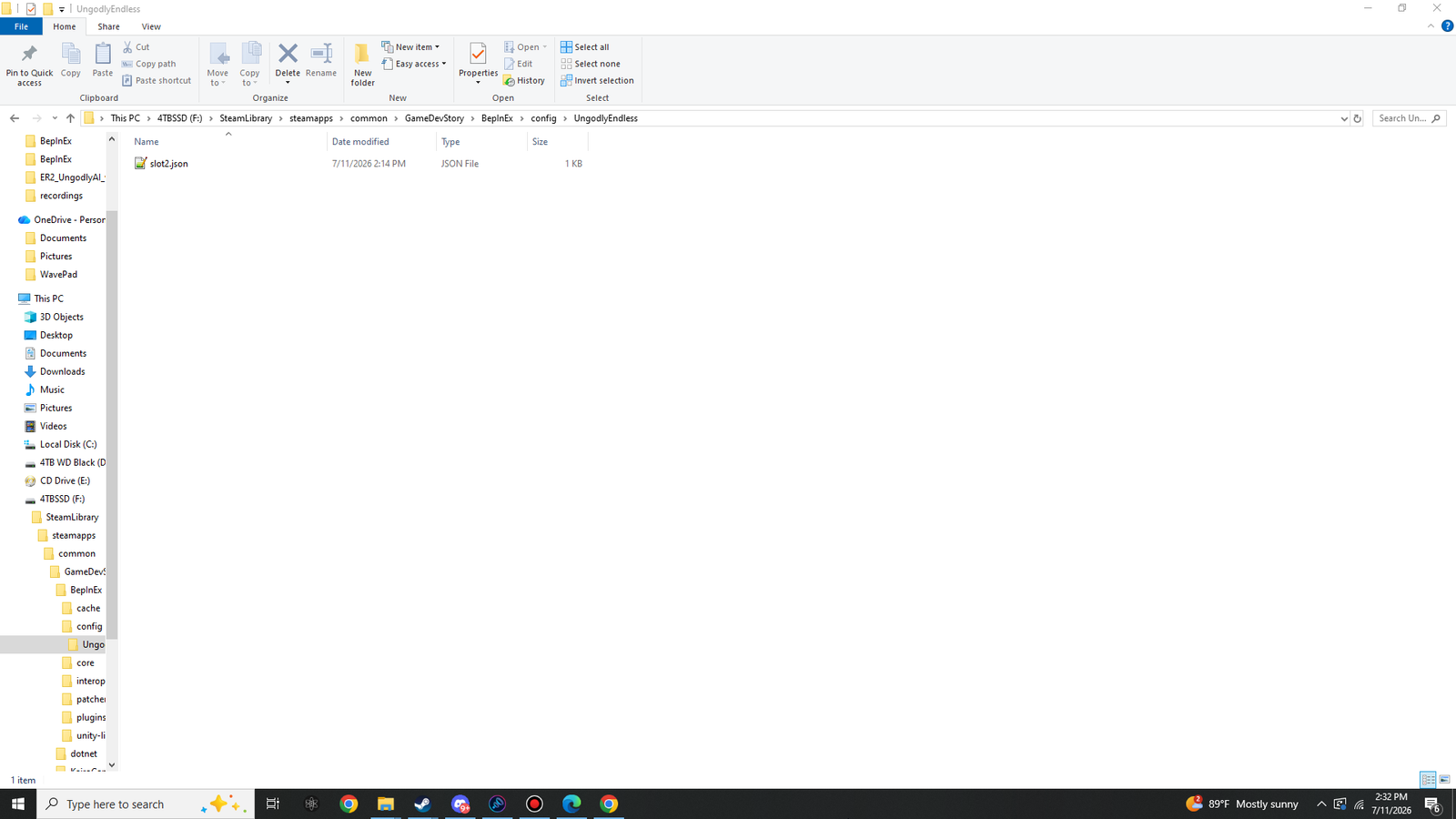
Every screenshot on this page comes from the reference machine this guide was written on — Game Dev Story 2.71, full suite installed, freshly run. Match your folders against them, run the log checklist, and if something's off, the troubleshooting table below covers every failure mode we know about.
The complete directory map
■ folder ■ you placed this (Parts 1–3) ■ generated automatically ■ shipped with the game
GameDevStory\                          e.g. F:\SteamLibrary\steamapps\common\GameDevStory
├─ BepInEx\
│  ├─ cache\                        interop metadata cache — first run
│  ├─ config\
│  │  ├─ UngodlyEndless\            sidecars: slotN.json, prestige.json
│  │  ├─ BepInEx.cfg                loader settings (console, logging…)
│  │  ├─ GDSRealWorldOverhaul.RealNameOverrides.json
│  │  ├─ stixsworldhd.gds.realworldoverhaul.cfg
│  │  └─ stixsworldhd.gds.ungodlyendless.cfg
│  ├─ core\                         37 loader assemblies (Part 1)
│  ├─ interop\                      generated from GameAssembly.dll — first run
│  ├─ patchers\                     empty — normal
│  ├─ plugins\
│  │  ├─ GDSRealWorldOverhaul.dll   Part 3
│  │  └─ UngodlyEndless.dll         Part 2
│  ├─ unity-libs\                   2022.3.62.zip (shipped) + 53 unpacked items
│  ├─ ErrorLog.log                  may exist — see the harmless-warning note
│  └─ LogOutput.log                 your first stop for any diagnosis
├─ dotnet\                          bundled .NET runtime, 186 files (Part 1)
├─ KairoGames_Data\                 the game's own data
├─ saves\                           your saves — always byte-for-byte vanilla
├─ .doorstop_version                4.5.0
├─ baselib.dll
├─ changelog.txt
├─ doorstop_config.ini
├─ GameAssembly.dll                 32-bit — the reason everything is x86
├─ KairoGames.exe
├─ UnityCrashHandler32.exe
├─ UnityPlayer.dll
└─ winhttp.dll                      the injector — must sit exactly here
Reference screenshots
Click any screenshot to view it at original full size (1920×1080), or use the arrow keys once the viewer is open to flip through all of them.
The healthy-log checklist
Open BepInEx\LogOutput.log after a launch with both plugins installed. You're looking for
four things:
- The BepInEx banner naming this build:
BepInEx 6.0.0-be.785 - KairoGames. 2 plugins to load(or 1, if you installed only one part).- The UngodlyEndless banner:
UngodlyEndless v1.0.0 loaded - pristine console capacity 30, ... - The Real World Overhaul pair: the overrides-file notice +
GDS Real World Overhaul v1.0.1 loaded -
      311 parody names mapped ...
[Warning:Il2CppInterop] Class::Init signatures have been exhausted, using a substitute! is
emitted by BepInEx's own interop runtime while it bootstraps against Unity 2022.3.62,
before any plugin loads. It is a known, harmless notice on this engine version and cannot be
produced or removed by a plugin. Neither plugin logs any warning of its own — v1.0.1 of Real World
Overhaul specifically eliminated the last three injector notices it used to trigger.
Troubleshooting
| Symptom | Cause & fix |
|---|---|
| Game starts completely vanilla — no log file, no console, no F6/F7 | winhttp.dll isn't next to KairoGames.exe (the nested-folder mistake —
re-do Part 1, step 2), or your antivirus quarantined it. Restore it from
quarantine and whitelist the game folder. |
| Log file exists, but no F7 window and no UngodlyEndless line | Wrong BepInEx flavour. It must be Bleeding Edge 6, IL2CPP, x86 — the package from Part 1 is exactly that. A stable BepInEx 5 or an x64 build will not load these plugins. |
| First launch takes ages / seems hung | Interop generation reading the 20 MB GameAssembly.dll — allow a minute or two on
the first run only. If it truly never opens, check LogOutput.log for where it stopped. |
| "Pristine console capacity is not 30" warning from UngodlyEndless | A game update changed the console tables. The mod adapts automatically — but please report it so the assumption can be re-verified against the new build. |
| A name list entry looks clipped (Real World Overhaul) | A few faithful defaults run long. Open F6 → Options → Max name length = 14; every replacement is trimmed to fit. |
| Need to see exactly what UngodlyEndless is doing | Turn on VerboseLog in stixsworldhd.gds.ungodlyendless.cfg (or the
F7 window) and re-check BepInEx\LogOutput.log — every resize, injection,
sidecar read/write and scheduler decision is narrated. |
| Want a save's modded consoles gone, but keep the save | Delete that slot's BepInEx\config\UngodlyEndless\slotN.json. The save itself is
untouched and fully playable. |
Clean uninstall — the whole point of vanilla-safe design
Disarm (keep everything on disk)
Delete or rename one file: winhttp.dll in the game root. Without the
injector, the game boots 100% vanilla; put the file back and the whole suite returns exactly as
configured.
Full removal
Delete these from the game folder: BepInEx\, dotnet\,
.doorstop_version, changelog.txt, doorstop_config.ini,
winhttp.dll. That's every trace.
Save files live in the game's own saves\ folder and were kept byte-for-byte vanilla the
entire time. After uninstalling, every save opens fine in a clean install — the only thing you lose is
the modded consoles themselves (their data lived in the sidecar JSONs inside BepInEx\config\,
which you just deleted). Real World Overhaul's renaming never touched saves at all.
Quick answers
Does load order matter between the two plugins?
No — fully compatible, any order. UngodlyEndless consoles use fresh IDs that pass straight through Real World Overhaul's rename hook, while the renaming of the vanilla 26 consoles keeps working normally.
Can I run just one of the two?
Absolutely. Each part is self-contained: Part 1 + either DLL works fine. The suite is designed as independent plugins that happen to be perfect together.
Will a game update break things?
After an update, the first launch regenerates the interop assemblies (expect the one-time wait again). UngodlyEndless verifies the console-table shape on load and adapts if it changed — and tells you in the log if the game moved underneath it. The suite was built and tested against game version 2.71 / Unity 2022.3.62.
Do I need to be online?
No. That's the point of the configured loader package — the Unity 2022.3.62 libraries stock BepInEx would download are already inside it.
Where do I edit settings by hand?
Everything lives under BepInEx\config\: stixsworldhd.gds.ungodlyendless.cfg
(47 documented settings), stixsworldhd.gds.realworldoverhaul.cfg, and
GDSRealWorldOverhaul.RealNameOverrides.json for the full name table. The in-game
F6/F7 windows edit the same files — no restart needed either way.