BepInEx 6 BE · IL2CPP · x86 (configured)
The loader, pre-seeded with the Unity 2022.3.62 libraries for a fully offline first run. Extract into the game folder — Part 1.
BepInEx-Unity_IL2CPP-win-x86-6_0_0-be_785_6abdba4.rar
MOD SUITE INSTALLATION GUIDE · FOR GAME DEV STORY (STEAM)
Three archives, one game folder, about ten minutes. This guide walks you from a clean Steam install to a fully modded studio: the specially configured BepInEx 6 Bleeding Edge (IL2CPP x86) loader, UngodlyEndless v1.0.0 (a true endless post-game with prestige), and GDS Real World Overhaul v1.0.1 (every parody name becomes its real-world counterpart). Every step is verified against the exact packages you download below.
| # | Package | What it is | Guide page |
|---|---|---|---|
| 1 | BepInEx 6 BE loader build 785 · IL2CPP · win-x86 |
The plugin loader itself, pre-configured for this game: it ships the Unity 2022.3.62 base
libraries already inside BepInEx/unity-libs/, so the first launch works even fully offline —
no surprise download, no stall. Doorstop 4.5.0 is pre-wired to the IL2CPP entry point. |
Part 1 |
| 2 | UngodlyEndless v1.0.0 hotkey F7 |
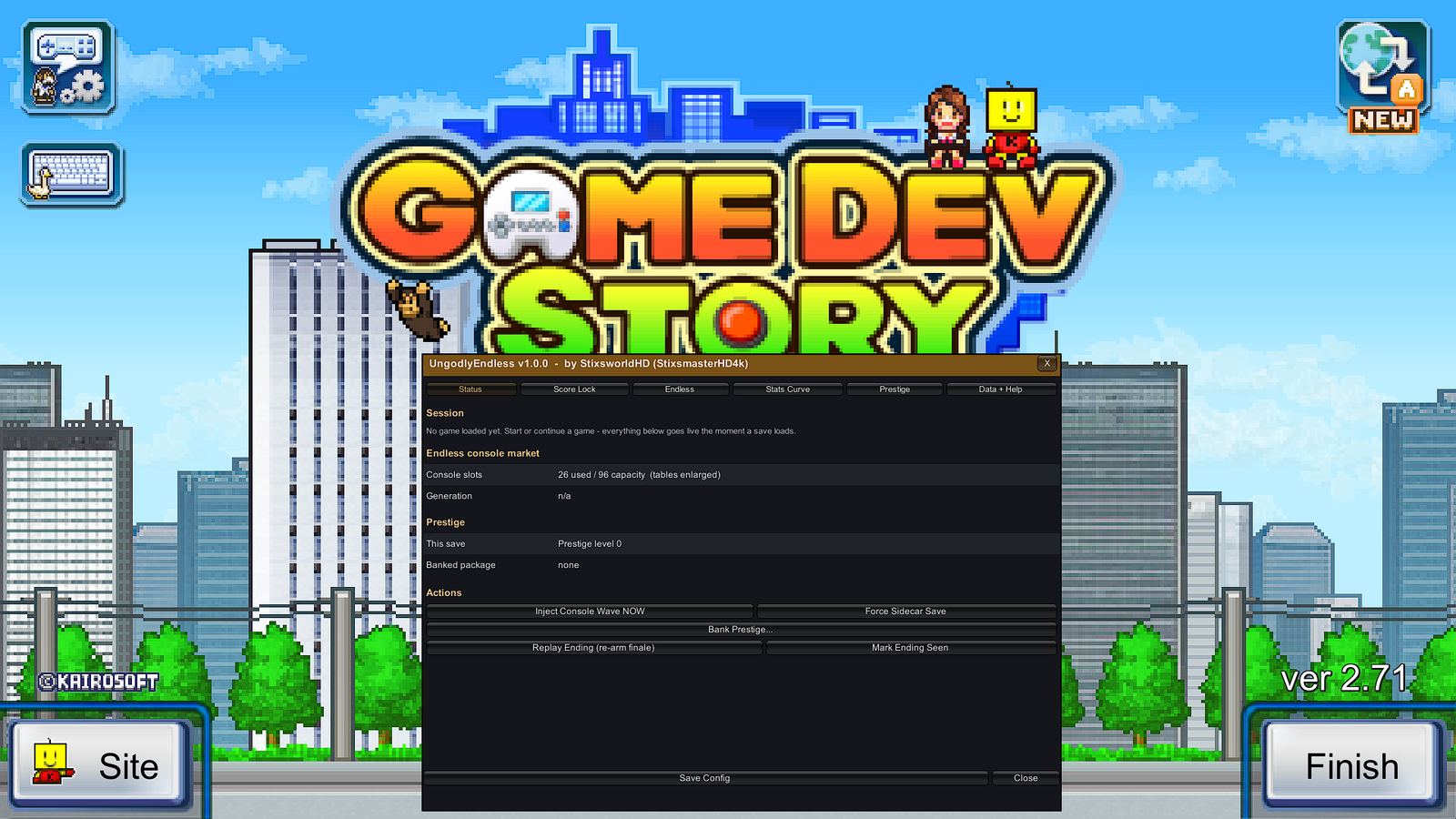
Ungodly madly vastly enhanced post-game rework: records that never freeze, brand-new console generations forever (live table surgery from 30 up to 512 slots), a prestige loop, ending replay tools — all while your save files remain 100% vanilla via per-slot sidecar JSON. | Part 2 |
| 3 | GDS Real World Overhaul v1.0.1 hotkey F6 |
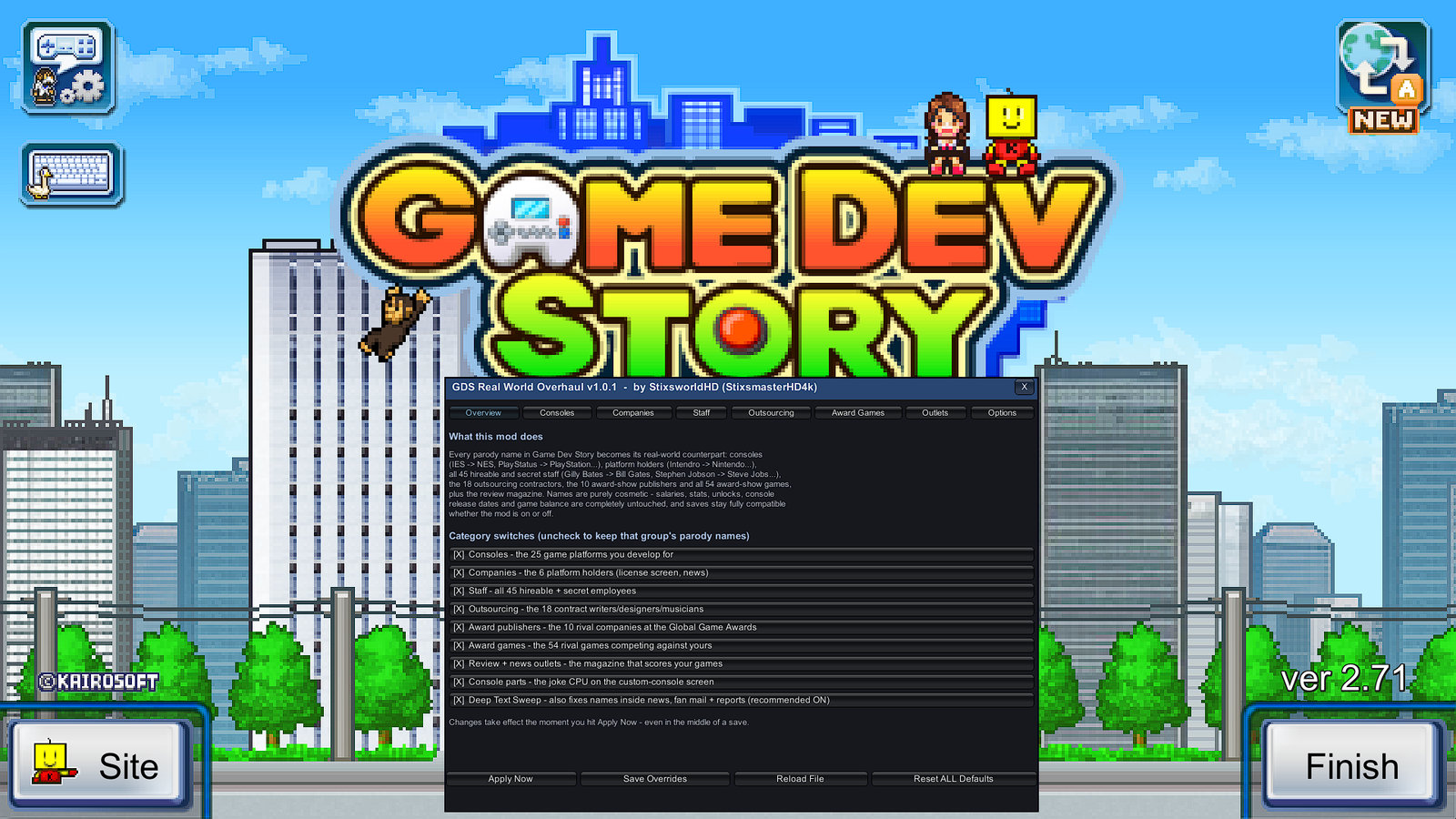
311 parody names become their real-world counterparts — IES → NES, PlayStatus → PlayStation, Gilly Bates → Bill Gates — in every language, in new games and old saves. Purely cosmetic; balance and saves untouched. Fully compatible with UngodlyEndless, any load order. | Part 3 |
winhttp.dll, which is a Windows mechanism..rar files — 7-Zip (free)
or WinRAR.x86, not x64. The game's GameAssembly.dll is 32-bit, so only the
x86 BepInEx build works. Stable BepInEx 5 will not work either — it must be
BepInEx 6 Bleeding Edge, IL2CPP flavour.
Your saves are safe. Both plugins were built decompile-first against the live game build. UngodlyEndless keeps save files byte-for-byte vanilla; Real World Overhaul changes names only. You can remove everything later and every save still loads.
These are the exact packages this guide documents. Each part of the guide links back to its archive at the top.
The loader, pre-seeded with the Unity 2022.3.62 libraries for a fully offline first run. Extract into the game folder — Part 1.
BepInEx-Unity_IL2CPP-win-x86-6_0_0-be_785_6abdba4.rar
Endless consoles, score-lock control, prestige, ending tools. One DLL into BepInEx/plugins — Part 2.
UngodlyEndless_v1_0_0_BepInEx6-IL2CPP-x86.rar
Real-world names for consoles, companies, staff, contractors, rival games and outlets. One DLL into BepInEx/plugins — Part 3.
GDSRealWorldOverhaul_v1_0_1_BepInEx6-IL2CPP-x86.rar
Extract the configured BepInEx package into the game folder, launch once so it generates its interop assemblies, quit. This is the only part with a waiting step.
Part 2 — Drop in UngodlyEndless
One DLL into BepInEx\plugins\. Launch, press F7, and the post-game is yours to shape.
Part 3 — Drop in Real World Overhaul
One more DLL into the same folder. Press F6 and watch IES become the NES.
Verify — Match your folders to the reference screenshots
A full directory map, a healthy-log checklist, troubleshooting, and clean-uninstall instructions.
Both plugins add a solid, fully opaque in-game window — no game restarts needed to change anything. Click either screenshot to view it at original full size.
This site is plain PHP + CSS with no database. Drop the folder into any PHP 7.4+ web root
(Apache, nginx + PHP-FPM, or php -S localhost:8080 for local reading) and it just works —
the download buttons even read their file sizes live from the downloads/ folder.